
Every time we want to make more money online, the temptation is to go looking for something new.
Another product to sell or a course that might have the answer. Maybe a traffic source that might finally work.
Meanwhile, everything we bought, created or started last time is still sitting there.
And after you’ve been doing this for a few years, that can add up to an astonishing amount of stuff.
Not just PLR and products you bought, either. There’s research you did, content you wrote, ideas you never finished, domains you had plans for, websites you stopped using, templates you made and skills you picked up because you needed them at the time.
Most of that sits on your hard drive gathering digital dust. And I’m as guilty of this as anyone.
But while I was creating Hidden Treasure, I started thinking about this in a slightly different way.
Because most of us don’t actually have a shortage of things we could do something with.
We have the opposite problem – we have years of accumulated stuff.
The real problem is that once we’ve mentally filed something under old, unfinished or didn’t work, we tend to stop seeing its value.
So today I thought we’d do something different.
Instead of looking for another opportunity, let’s look at what you already have.
1. Start with the graveyard
Have a look through the projects you started and abandoned.
Don’t ask whether the original idea is worth resurrecting.
Ask:
What did I create while I was working on this that might still be useful?
A course that never sold might contain a great checklist.
An abandoned website might have articles that could be updated.
A product that flopped might have solved the right problem but been sold to the wrong people.
Research for something you never finished might save you hours on something completely different.
The project can be dead while some of its parts are still extremely useful.
2. Look for things you made for yourself
This is one people miss all the time.
Some of the most useful things we create were never intended to be products in the first place. Maybe you built a spreadsheet to keep track of something, put together a checklist because you kept forgetting a step, developed a prompt that saved you time or created a template because you were fed up with doing the same job from scratch.
You may have a whole collection of resources you use without giving them much thought because you made them for yourself.
And that’s precisely why they’re worth looking at.
If something has solved a genuine problem for you or made something quicker or easier, there’s at least a possibility that somebody else has the same problem.
That doesn’t automatically mean they’ll pay for it. But it’s a much better place to start looking than trying to dream up something you hope people might want.
3. Search your inbox as well as your hard drive
Your email can be an extraordinary record of forgotten value.
Search for words like:
attached
proposal
draft
template
research
course
bonus
licence
PLR
And don’t just look at what you sent. Look at what people asked you for. Questions you’ve answered repeatedly can tell you a lot about knowledge you take for granted.
If you use Gmail, there are some useful search operators too. For example, has:attachment larger:10M will find emails with large attachments, while older_than:2y has:attachment is a quick way of digging into older material.
4. Don’t confuse possession with permission
Finding something on your hard drive doesn’t necessarily mean you can sell it, repackage it or give it away.
If it’s PLR, check the licence.
If it contains stock images, templates or other third-party material, check those licences too.
And don’t rely on what you think the terms were when you bought it five years ago. Check.
Canva is a good example. Its current licence allows a wide range of commercial uses, but different categories of content have different restrictions, and you generally can’t simply redistribute Canva content as a standalone asset.
It’s a boring check right up until the moment it saves you a very un-boring problem.
5. Try a constraint instead of a shopping list
Here’s an experiment for this week.
Pick something you want to achieve.
Then, before you buy anything or start creating from scratch, give yourself this rule:
I have to try to do it using only resources I already have.
You may eventually discover that you genuinely need something else.
Fine.
But it’s surprising how inventive you become when buying another solution isn’t your first move.
And that brings me rather neatly to this week’s TED Talk…
This week’s TED Talk
I found a brilliant one from innovation strategist Navi Radjou called Creative problem-solving in the face of extreme limits.
He talks about frugal innovation, including the idea of creating more value from limited resources and making ingenious use of what’s already available.
It’s much broader than making money online, but that’s exactly why I liked it. The principle is the same. We tend to assume more resources give us more possibilities. Sometimes constraints make us look harder at the possibilities that were already there.
A few useful resources
Google Drive Search
If you’ve been using Drive for years, this is worth a proper search. You can filter by file type, people, date modified and other criteria, as well as searching filenames and text inside files.
https://support.google.com/drive/answer/2375114
Gmail Advanced Search Operators
Your inbox can contain years of forgotten attachments, products, research and conversations. Google’s list of operators includes older_than:, has:attachment, filename:, date searches and combinations of them.
https://support.google.com/mail/answer/7190?hl=en-GB
Google Trends
Once you find something promising, this is a useful first check to see how people are searching for the subject and compare different terms. I’d stress that it isn’t proof that something will sell, but it can help you investigate rather than guess.
Canva Licensing Explained
Particularly useful if you uncover old designs, templates, ebooks or other products created in Canva and you’re considering repurposing them commercially. Canva explains the differences between Free and Pro content and what you can and cannot do with it.
https://www.canva.com/licensing-explained
Canva Content License Agreement
The full licence for anyone who needs to check a specific commercial use rather than relying on the simplified explanation.
https://www.canva.com/policies/content-license-agreement
Creative Commons Licence Chooser
Useful in the other direction. If somebody uncovers material they’ve created themselves and wants to make it available under particular reuse terms, Creative Commons provides tools for choosing an appropriate licence.
The Wayback Machine
If you’ve owned websites or domains over the years and can no longer remember what was on them, try putting the old URL into the Wayback Machine. You may discover pages, positioning, copy or whole projects you’d forgotten about.
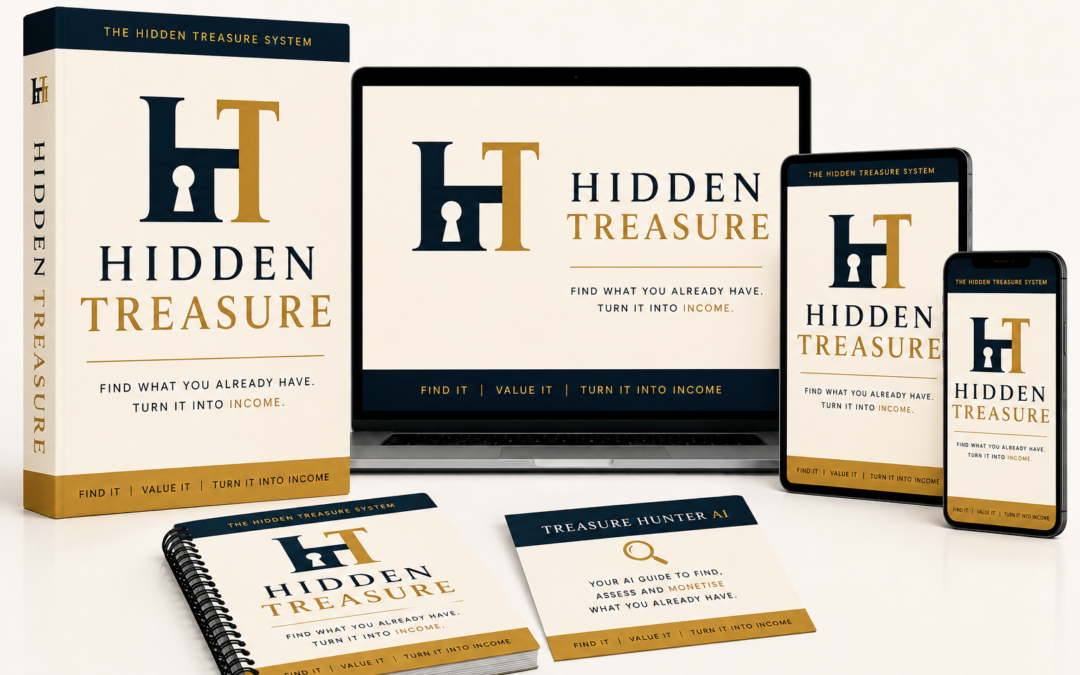
Hidden Treasure went live today.
It takes the idea much further and helps you dig through what you’ve already accumulated, spot what may actually be worth something and work out what you could do with it.
So before you spend another week wondering what you could sell next…
I’d have a look at what you’ve already got.